Coding Lab · Grades 1–6 · Belmont, CA

Learn coding
the fun way.

Three tools. One studio. Students choose one track — Godot, Unity3D, or Blender — and build a real game, 3D scene, or asset, one hour at a time.

10–14 weeks 60 minutes WorkStation provided

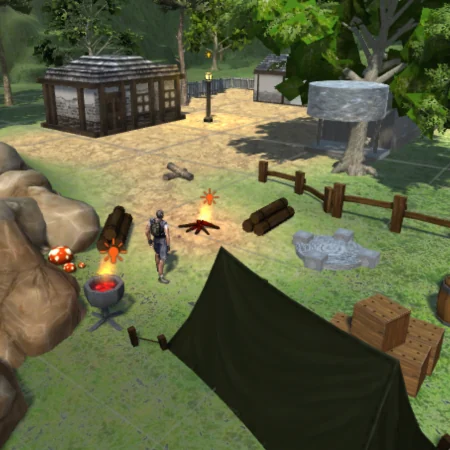
SURVIVAL_ISLAND / BUILD 01 UNITY3D · C#
A student-built 3D survival scene with a tent, campfire, and forest cabin in Unity3D STUDENT BUILD PLAY
SCENE 01 / 03● LIVE60 FPS
Tracks
3
After school
10–14 wk
Each session
60 min
Grades
1–6

01 The tracks

Three tools.
One deep dive.

Godot, Unity3D, and Blender are separate tracks, not a sampler. A session runs one track, chosen by the teacher around the group, the calendar, and the equipment.

One track per session. Families ask which track is running this term. Ask us.

01Godot 4 · GDScript

Godot

2D and 3D projects in GDScript.

The friendliest first engine: a scene editor, a small language, and a project a student can finish. A good place to learn how a game is put together.

  • Build a playable 2D game
  • Add UI, score, and sound
  • Export a build to share

Godot 4GDScript

Session fit · Summer camps, first-time coders

02Unity3D · C#

Unity3D

3D scenes and C# systems.

A full-term Unity project: scenes, components, physics, and typed C# scripts. This is the track that can run all Spring, one system per class.

  • Build a 3D scene and a player
  • Add physics, triggers, and pickups
  • Ship a playable build

Unity3DC#

Session fit · Full-term sessions, Spring example

03Blender · glTF / FBX

Blender

3D assets for any engine.

Modeling, materials, lighting, and export. Students make an asset and bring it into a game engine — the piece that makes a world feel like a place.

  • Model a low-poly prop or character
  • Apply materials and lighting
  • Export a game-ready asset

BlenderglTF / FBX

Session fit · 3D track, scheduled sessions

Not a rotation. Each track is a complete project strand. Students go deep in one, then can choose another in a later term.

02 The project

Every term ends with
something that runs.

A project gives every lesson a reason. Students start with one feature, add systems, and finish with a build they can play, test, and explain.

50+ projects to work on, from beginner to advanced.

2D games3D worldsGame assetsSystems & AI
01UNITY3D

3D RPG

A village, a hero, a health potion, and one system per class: movement, health, inventory, enemies, quests.

  • C#
  • Physics
  • UI
02UNITY3D

Survival Island

Gather, craft, and survive. A clock turns every system into a decision, and every shortcut into a consequence.

  • Inventory
  • Crafting
  • Clock
03UNITY3D

Kart Racer

A track, checkpoints, a lap timer, and a car that feels fast. Then the tuning that makes it fair.

  • Physics
  • Camera
  • Tuning
04UNITY3D

Tower Defense

Waves, paths, upgrades, and the balance work that turns a pile of turrets into a strategy game.

  • Waves
  • Economy
  • Balance
05GODOT

One-button Flyer

One input, a score, and a reason to press play again. A tiny physics game with a very clear loop.

  • Signals
  • Collision
  • 2D
06GODOT

2048

Grid state, merges, and a clean win/lose rule. Simple to explain, surprisingly deep to build.

  • Arrays
  • State
  • UI
07BLENDER

Low-poly prop

Model, material, light, and export. Bring a game-ready asset into a scene and see the whole world change.

  • Modeling
  • Materials
  • glTF

Examples, not a fixed menu. The track, the group, and the calendar decide the build. The studio’s Unity project library also includes 2D arcade, match-3, runner, voxel, FPS, and kart projects.

Programming is a skill best acquired by practice and example rather than from books.

— Alan Turing

03 The session

One hour.
One build.

Same rhythm in every track. The coach demonstrates once, then builds alongside the group — close enough to help, far enough to let them think.

5 min

Warm-up

Open the project and review the goal.

10 min

Demo

One new tool or technique.

30 min

Build

Make this week’s feature work.

10 min

Test

Play it and find the weak part.

5 min

Share

Explain one choice.

session.log60:00
  1. 00:00warm_upOpen the project. What are we making today?
  2. 05:00demoOne tool, one technique, one live example.
  3. 15:00buildMake the feature work. Ask when stuck.
  4. 45:00testPlay it. Find the weak part. Fix one thing.
  5. 55:00shareExplain one choice to the room.

$ every session ends with something that runs.

Ten to fourteen weeks. One hour at a time. No prep, no software to install.

04 Under the hood

A game is a system.

The syntax is the small part. The real skill is seeing how the pieces connect: what the player does, what the game remembers, and what happens next.

THE LOOP

Input becomes a choice.
A choice becomes a consequence.

Every build — a 2D flyer, a 3D RPG, a tower defense — is the same idea in a different costume. Students learn to see the loop, then change one part at a time.

01InputWhat did the player do?
02StateWhat does the game remember?
03RuleWhat happens next?
04FeedbackWhat does the player see?

ALGORITHM

The steps.

What happens, in what order. When the player presses jump:

  1. Check whether they are on the ground.
  2. Set an upward velocity.
  3. Play the jump sound.

DATA STRUCTURE

The memory.

How the game remembers what matters, so the next frame can use it.

health 3score 120keys 2position x, y

THE VOCABULARY THEY’LL MEET

variablesloopsfunctionseventsstatecollisionsarraysclassesphysicsdebuggingUIsave datainputscoretimervector
01Knowledge

Learn the tool, the language basics, and what the pieces are called.

02Experience

Build the core loop end to end. See how the pieces connect.

03Creativity

Add the feature only they would think of — then test it.

05 The arc

Ten weeks. One build.
Four more if they want.

A term is a project, not a syllabus. The same arc works in Godot, Unity3D, or Blender; summer camps use a one-week version.

10-week core
+4 extension
01–02Knowledge

Tool + brief

Learn the editor, the language basics, and the project brief.

03–05Experience

Core loop

Build the core loop end to end. The game starts to exist.

06–08Experience

Features + polish

Add features, polish, and a clear interface.

09–10Creativity

Test + present

Test, fix, and present the build. Explain one choice.

11–14Extension

Go deeper

A deeper feature, a second project, or a portfolio piece.

After-school sessions run 10–14 weeks. Summer camps run weekly, Monday–Friday, 9:00am–3:00pm with a one-hour lunch.

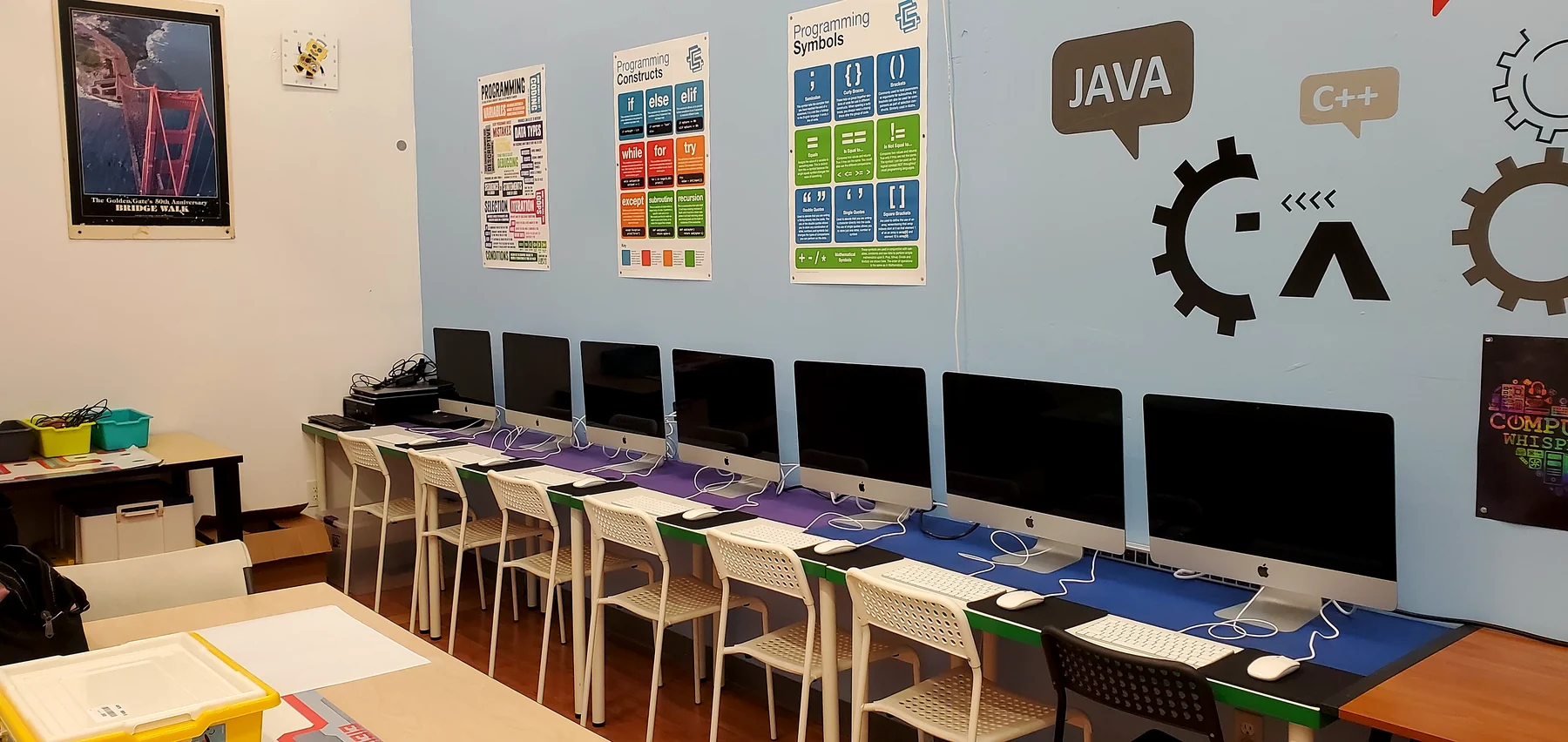
The SteamWorks coding studio: a row of iMacs with programming posters on the wall
FIG. 01 — The coding studio, Belmont

06 The studio

A real studio,
not a lecture.

iMacs, Godot, Unity3D and Blender installed. Twelve seats max. A coach who builds alongside them — close enough to help, far enough to let them think.

  • One track at a time
  • 12 seats max
  • No prep, no install
  • Tue & Thu, 3:30–5:30pm
    Wed, 1:30–5:30pm
01A playable build

Something they can send to a friend.

02A 3D asset

Modeled, textured, and exported by them.

03A debugging habit

Read the error, form a theory, test it.

04A showcase

A final build and a short creator talk.

07 Questions

Good to know.

The practical bits — tracks, experience, and what to bring. Still unsure? Ask us about your child.

SteamWorks Academy

Ready to
press play?

Tell us your child’s age and the track you’re curious about. We’ll tell you what’s running this term.

Call Book a Session