AI Adventure Club / Lessons

AI is a big idea.
Let’s make it simple.

Short, friendly lessons and tiny projects that help young explorers understand how AI works — and how to use it wisely.

  • Ages 8–11
  • No tech skills needed
  • Grown-up friendly
4 STOPSOne curious mind

Tap a stop to preview the lesson.

The big ideas

Four stops on your AI adventure.

Each stop is a short, guided lesson. Try the mini challenge, then reveal the answer.

01 / 04Meet AI

AI is a pattern-finding helper.

Artificial intelligence learns from lots of examples. Then it makes a best guess — just like spotting what comes next in a pattern.

TRY IT

🍎 🍌 🍎 🍌 ?

Reveal the answer

Apple! The pattern repeats.

02 / 04How it learns

Examples are AI’s practice cards.

Show an AI many labeled pictures of cats and dogs, and it can learn clues — like ear shapes or snouts — to sort a new picture.

TRY IT

🐱 CAT · 🐶 DOG · 🐱 ?

Reveal the answer

Cat! Labels help AI learn.

03 / 04Smart questions

Clear instructions get better results.

A prompt tells an AI what you need. Include the job, helpful details, and the kind of answer you want.

TRY IT

“Explain rainbows in 3 sentences for a 9-year-old.”

Reveal the answer

Specific, kind, and easy to check.

04 / 04Think first

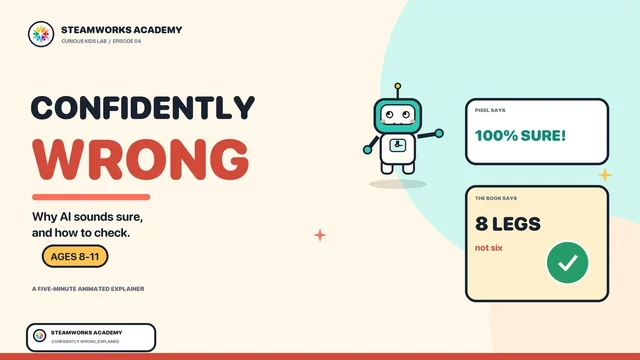
AI can be confidently wrong.

AI makes guesses, not promises. Check surprising facts with a teacher, trusted adult, book, or reliable website.

TRY IT

AI answer → Pause → Check → Decide

Reveal the answer

Your brain stays in charge!

Four lessons. No coding. Plenty of questions. The lessons work on their own, and they set up the first Codex lab.

From the channel

Watch, then try it.

Three short AI explainers from our YouTube channel, each paired with a lesson on this page. Ages 8–11; about five minutes each.

More five-minute AI explainers at @steamworks_academy.

Visit the channel

The session

One hour. One idea. One build.

A session is a rhythm, not a lecture. Students learn the idea, try it, then use it in a lab — with a coach close enough to help and far enough to let them think.

THE 60-MINUTE LOOP

  1. 10Imaginesketch + goal
  2. 10Prompttell Codex
  3. 20Buildwatch + ask
  4. 15Testtune + fix
  5. 5Shareshow + reflect

THE PROMPT RECIPE

1GoalWhat should we make?
2ContextWho is it for?
3BoundariesWhat keeps it safe?
4Done whenHow will we test it?

Every session ends with a saved checkpoint: what works, what is confusing, and the exact next step.

The lab track

Ten one-hour maker labs.

After the lesson, students build. The first labs are small enough to finish in one session; the capstone brings the pieces together.

01START · 60 MIN

My Inventor Card

Build a colorful profile card for a made-up inventor — no real personal details needed.

YOU’LL LEARNPage parts, text, colors & images

02START · 60 MIN

Color Mood Lab

Create three buttons that transform a page into sunny, calm, or space moods.

YOU’LL LEARNButtons, events & visual design

THE REST OF THE TRACK

  1. 03
    STARTSilly Story Spinner
  2. 04
    BUILDAnimal Expert Quiz
  3. 05
    BUILDPattern Playground
  4. 06
    BUILDChoose-the-Path Tale
  5. 07
    EXPLOREEco Sort Challenge
  6. 08
    EXPLOREKindness Button
  7. 09
    EXPLOREPlanet Explorer
  8. 10
    CAPSTONEClassroom Mini Arcade

The coach chooses the right entry point for the group. The list is a map, not a race.

After the core

Ten bigger expeditions.

For students who want more: three to five classes each, 60 minutes per class, and a bigger question to carry across the whole build.

ImagineAnswerPlanBuildTestShowcase
  1. 11
    DATASpace Colony Mission Control
  2. 12
    STORYFantasy Creature Discovery Lab
  3. 13
    SYSTEMSVirtual Pet Care Lab
  4. 14
    DESIGNDream Theme Park Designer
  5. 15
    GAMEPuzzle Room Adventure
  6. 16
    DESIGNAccessible Game Remix Studio
  7. 17
    STORYTime-Travel Story Map
  8. 18
    DATAMystery Clue Detective Board
  9. 19
    SYSTEMSDragon Egg Hatchery Simulator
  10. 20
    CAPSTONEClassroom Arcade Festival

Each expedition starts with student choices, not a prepared dataset. Teams keep an idea-and-decision log and present the choices behind the build.

See the advanced labs

The AI compass

Stay curious. Stay kind. Stay in charge.

AI can be an amazing helper — but it needs a smart human teammate. That’s you.

01

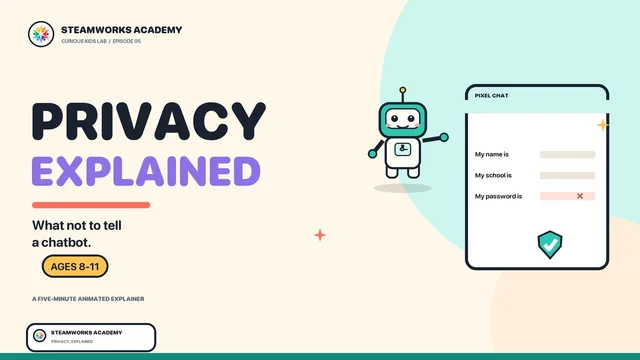
Keep private things private.

Never share your full name, address, school, passwords, or photos without a grown-up.

02

Check before you trust.

AI can make mistakes. Double-check important answers with a trusted source.

03

Use your own voice.

Let AI help you learn and brainstorm — not do all your thinking for you.

Read the full safety notes

SteamWorks Academy

Start with one small idea.

Four stops. One hour. Something you can show, test, and explain. Preview the lessons here; the studio session is where the build happens.

AI Adventure Club · YouTube

Watch the video

Playing from YouTube.

Open on YouTube
Call Book a Session