Afterschool · Belmont, California

After school, they build things that think.

Hands-on AI, coding, and robotics for grades K–6. Small groups, real projects, and something to show you on the ride home.

Grades K–6 Belmont, CA 650.888.3650

Studio hours

Tue & Thu, 3:30–5:30pm

Wed, 1:30–5:30pm

Book a session
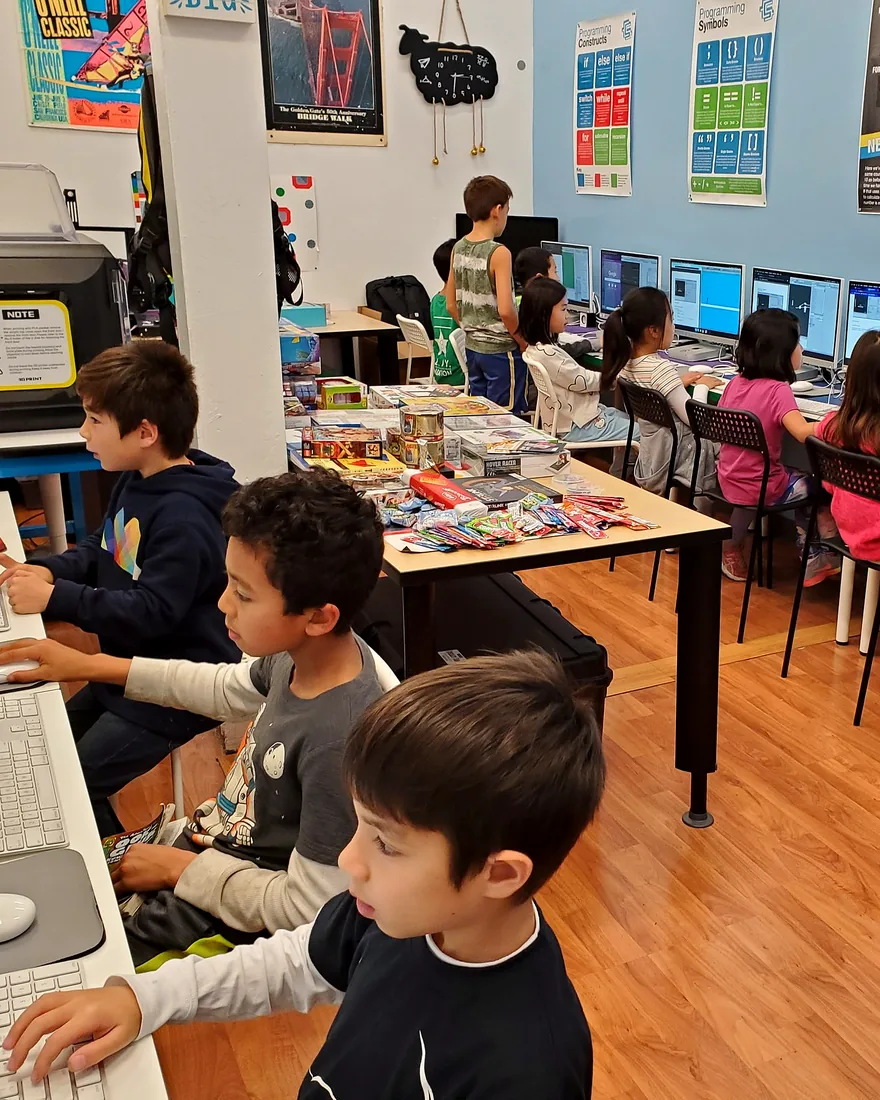
Students at iMacs during a Wednesday Coding Lab session at the SteamWorks studio
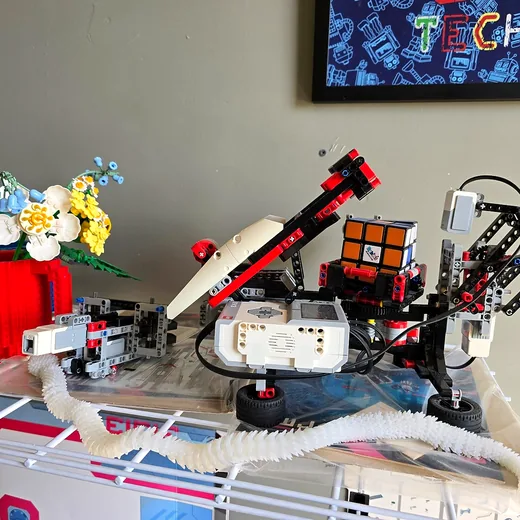
A student-built robot holding a Rubik’s cube
FIG. 01 — Coding Lab, Wednesday session
Grades
K–6
Class size
12 max
Studio days
Tue–Thu
Location
Belmont, CA

02 The tracks

Three ways in.
Pick what pulls them.

Every track runs ten weeks, meets once a week, and ends with a project your child can show you. Coding Lab runs one of its three tools per session and can extend to fourteen weeks. No experience needed, and kids can switch tracks next term.

Not sure where to start? Tell us about your child and we’ll point you to the right class. Talk to us.

01 Grades 3–6

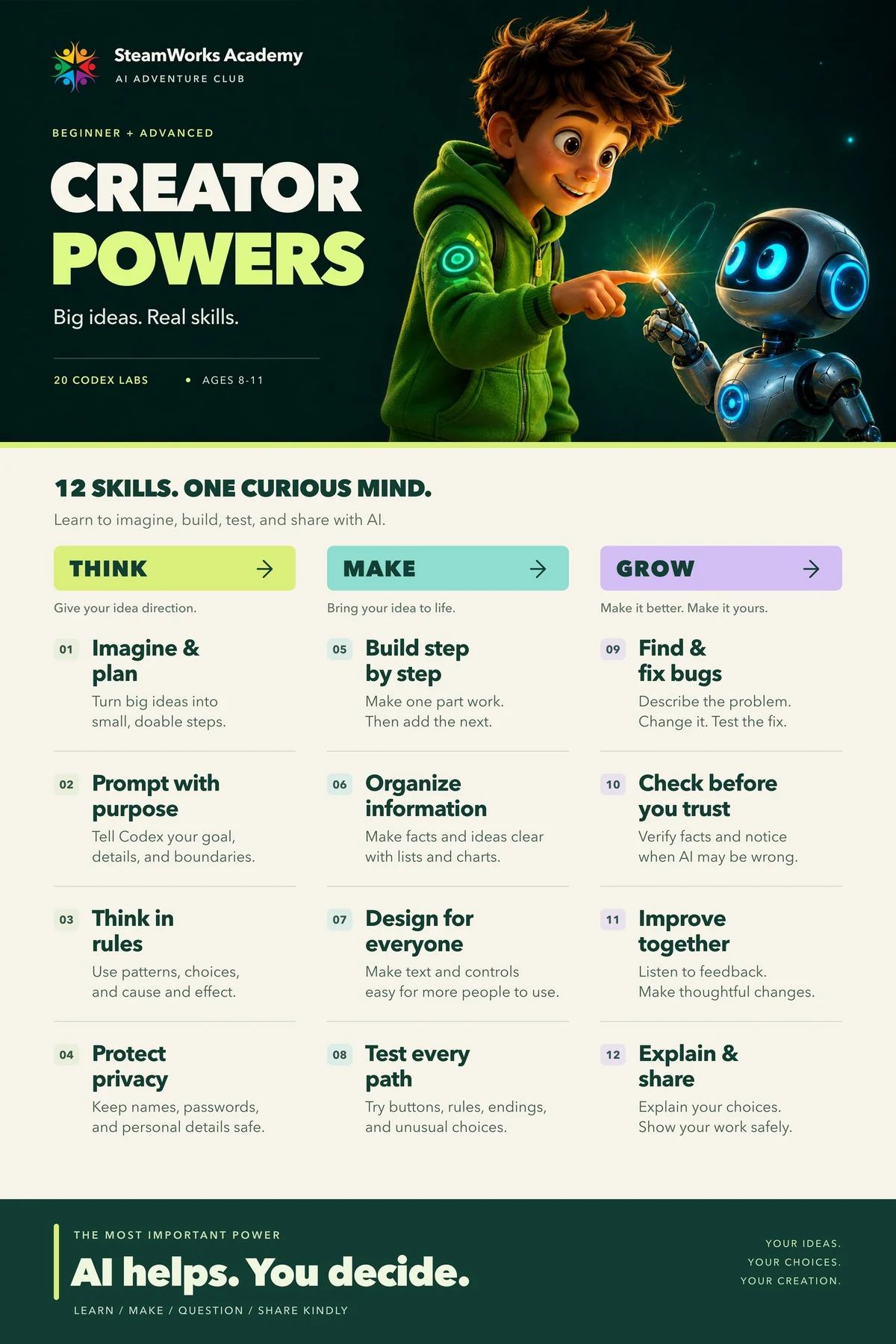
AI Adventure Club

Four lessons. Twenty Codex labs.

Students start with four big ideas, then build Codex projects one part at a time — ten core labs, plus ten advanced labs. They test, explain every choice, and finish with something they can show.

  • Start with four big ideas
  • Build ten core labs
  • Continue into ten advanced labs

10-week core · 60 min · WorkStation provided

Explore the club Book a session
02 Grades 1–6

Coding Lab

Three tracks. One studio.

Godot, Unity3D, and Blender are separate tracks. Each session runs one track — a Unity project through the Spring, for example, or Godot projects in summer camp. Ten to fourteen weeks, one hour at a time.

  • Godot + GDScript: a playable 2D game
  • Unity3D + C#: a 3D project
  • Blender: a game-ready 3D asset

10–14 weeks · 60 min · WorkStation provided

Explore Coding Lab Book a session
03 Grades K–6

Robotic Workshop

Build a robot that reacts to the room.

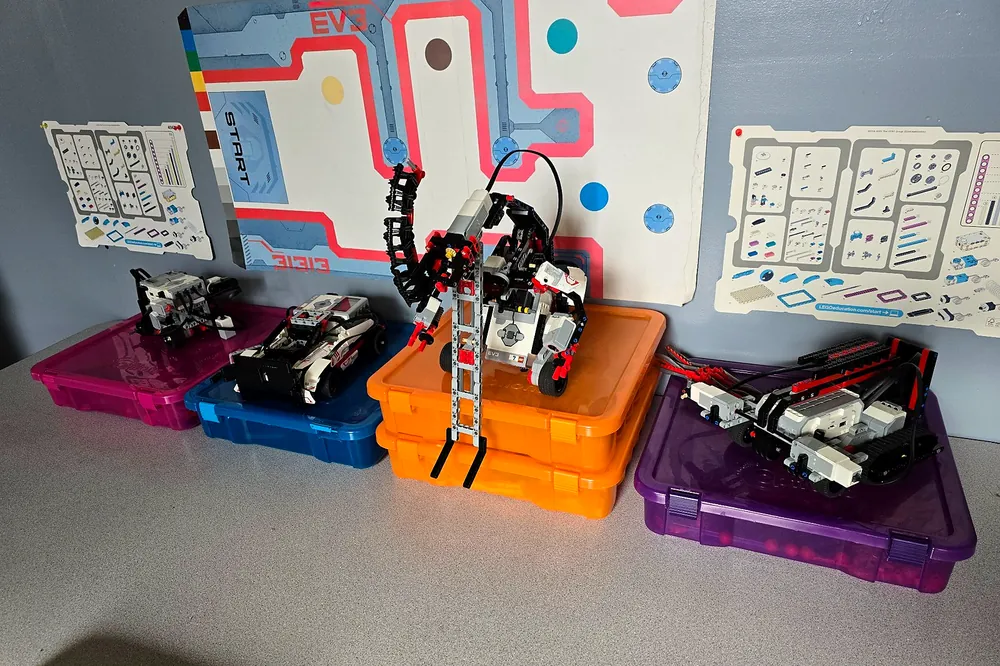
Teams build with LEGO EV3 and SPIKE and program in Scratch, using custom blocks for sensors, drive routines, and missions. Every term ends with a challenge and a showcase.

  • Build and drive EV3 and SPIKE robots
  • Program sensors and missions in Scratch
  • Compete in the end-of-term mission

10 weeks · 60 min · Kits included

Explore Robotic Workshop Book a session

03 Inside a term

Fourteen classes.
One playable 3D RPG.

Coding Lab · Unity3D track

A term is a project, not a syllabus. In the Unity3D track, students start with an empty scene and finish with a 3D RPG they can play — one system per class.

Classes
14
Each
60 min
Final build
3D RPG

Classes 01–03

Enter the engine.

Open Unity, learn the editor, and get a first script running. Then spawn the first health potion.

  1. 01The editor, a scene, and a first run
  2. 02Variables and the first potion spawner
  3. 03Change one value, test the change

Build The first potion appears in the scene.

Classes 04–07

From repetition to functions.

Copy and paste stops scaling. Students write functions, pass parameters, call them, and clean up the code.

  1. 04Copy, paste, repeat — and why it breaks
  2. 05Functions: one name, many instructions
  3. 06Parameters and a function body
  4. 07Call it, clean it up, test it

Build One function spawns potions at any angle and radius.

Classes 08–10

Think in classes.

The code becomes a system: classes, access, and loops. Small pieces that work together.

  1. 08Classes and constructors
  2. 09Public vs private, and the dot operator
  3. 10Loops: stop repeating yourself

Build A class-based spawner the code can reuse.

Classes 11–14

Add systems, then ship.

A money spawner, named constants, a real challenge, a custom character, and a finished project.

  1. 11A second spawner: money and loot
  2. 12Named constants instead of magic numbers
  3. 13The challenge: a new spawner + custom character
  4. 14Quiz and the finished RPG

Build A second loot system and a finished RPG.

Every class ends with a change you can see in the game. The term ends with a quiz, a playable build, and a short explanation of how it works.

Shown: the Unity3D track. Godot and Blender follow their own project arcs.

04 The method

We teach the part that is hard to Google.

AI can write the code now. It cannot decide what is worth building, notice when something is off, or keep going when the first version flops. That is the part we practice.

“He came home talking about sensors. Not the game he was playing. The sensors.”
Parent of a 3rd grader 2026
  • 01

    Make the question bigger

    Every project starts with a kid’s question, not a worksheet. The question is the curriculum.

  • 02

    Ship something small

    Working beats perfect. First drafts are supposed to be rough, and they still go in front of the group.

  • 03

    Debug the idea

    We ask what would prove this wrong, then go find out. That habit outlasts any programming language.

  • 04

    Explain it out loud

    If you cannot walk someone through it, you do not own it yet. The final presentation is the exam.

05 Inside the studio

A room built for trying things.

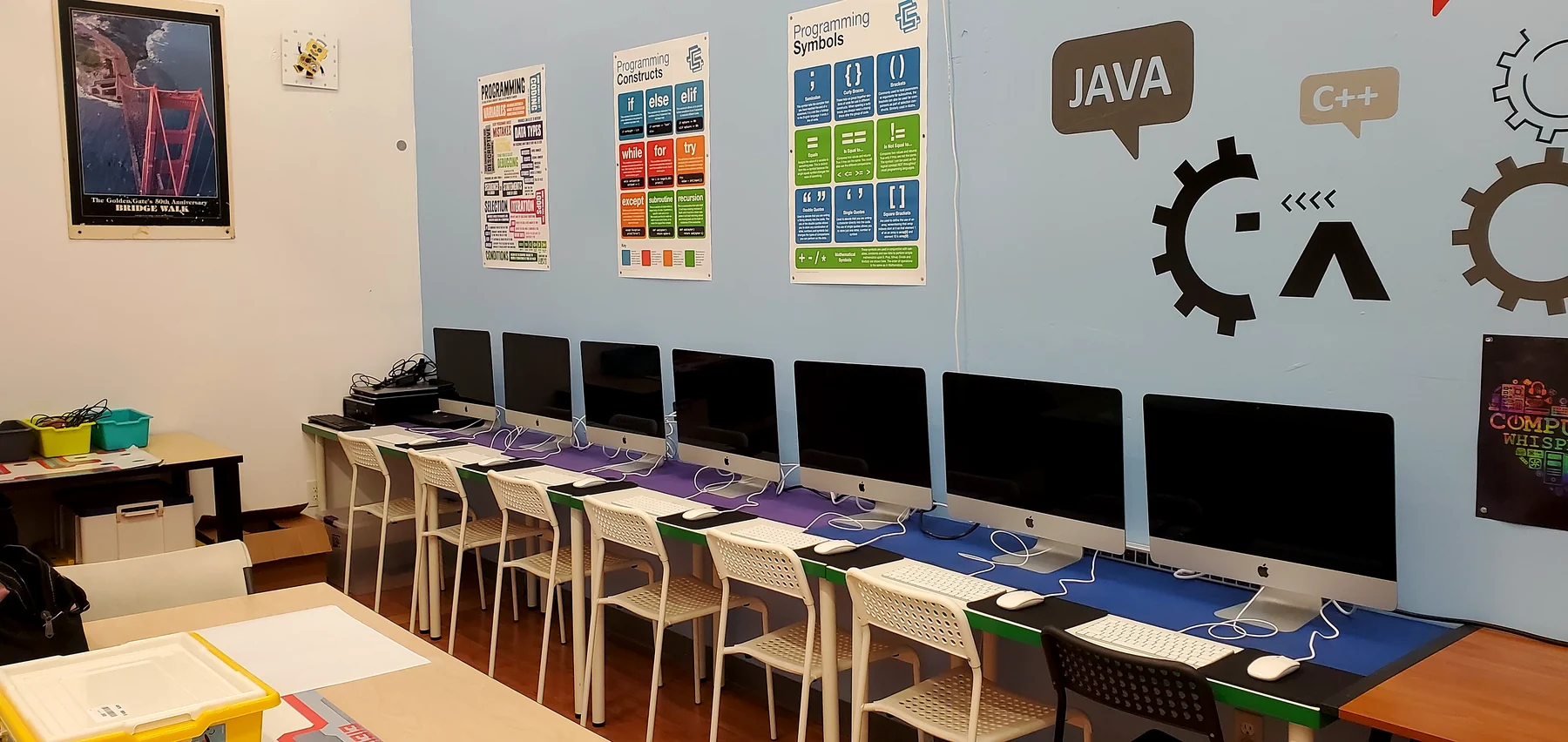
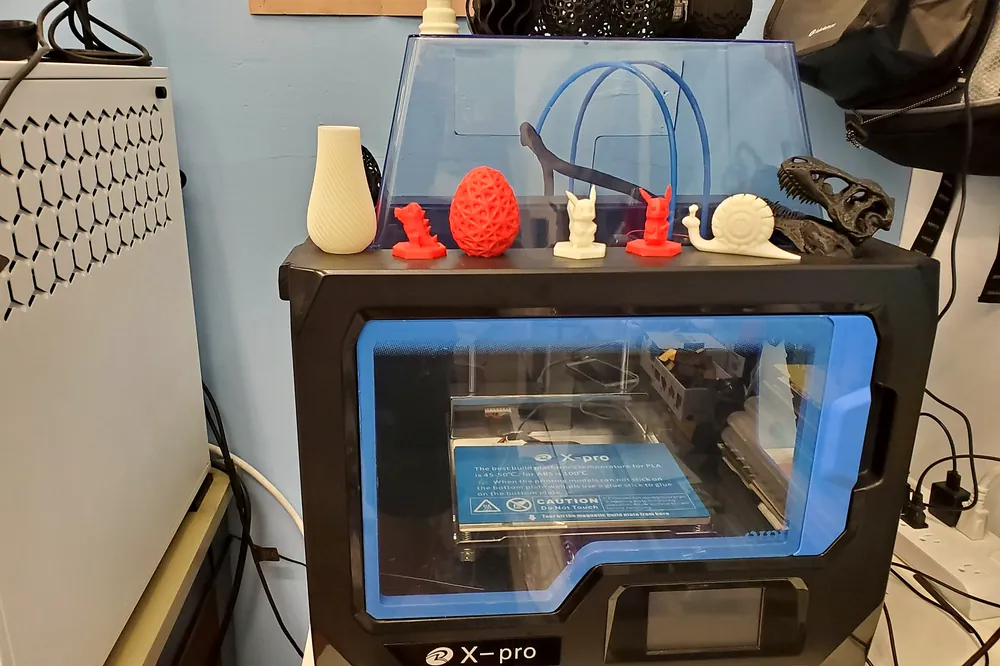
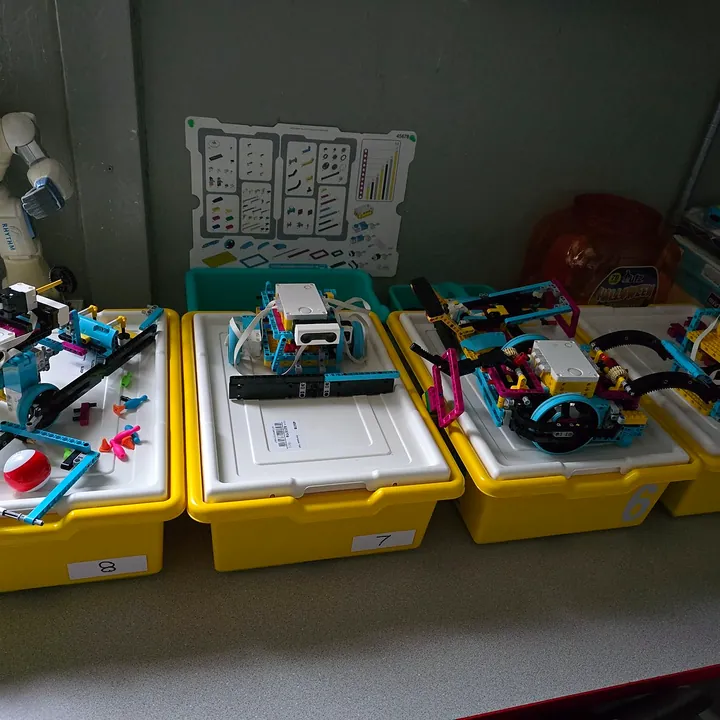
3D printers, a wall of LEGO SPIKE kits, and enough screens that nobody has to wait. It is a working room, so it looks like one.

06 Word of mouth

What parents tell us after the first month.

We ask families at week four, once the novelty has worn off and the real work has started. These are the answers that keep coming back.

She has never once said she was bored. That is the whole review.
Parent, Grade 4
The final presentation was the most confident I have seen him. He built the whole thing himself.
Parent, Grade 3
We tried two other programs. This is the one where they actually make things.
Parent, Grade 5

07 Questions

The things parents ask before they sign up.

Still not sure? Call 650.888.3650 or email info@steamworks.tech. A real person answers.

08 Come by

See the room.
Meet the teacher.

Book a session or just stop in. We are on El Camino Real in Belmont.

Studio

650 El Camino Real
Belmont, CA 94002
Get directions

Hours

Tuesday & Thursday, 3:30–5:30pm
Wednesday, 1:30–5:30pm

Summer

Weekly camps, Mon–Fri
9:00am–3:00pm · one-hour lunch
AI, Coding & Robotics

Book a Session

Tell us a little about your child. We reply within one business day.

No spam. We only use this to answer your question.

Call Book a Session